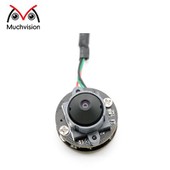
In the vast landscape of embedded vision, integrating camera modules easily and ensuring universal compatibility are key. This is where UVC camera technology really shines. UVC, or USB Video Class, offers a standardized way for cameras to talk to host devices, doing away with the need for custom drivers. This plug-and-play ability has made USB UVC camera modules incredibly popular across many different uses. For embedded vision engineers, understanding what is a UVC camera and how it works is vital for designing efficient systems and getting them up and running quickly. It opens up a world of smooth camera integration, from everyday electronics to industrial equipment.
What is a UVC Camera?
A UVC camera is essentially a digital video camera that follows the USB Video Class standard. This means it connects to a computer or other host device through a USB port and works without needing special manufacturer drivers. The operating system's built-in UVC drivers handle all the communication. This simple plug-and-play approach makes integration straightforward. Whether it's a webcam, an industrial inspection camera, or a medical imaging device, if it's a camera with UVC, it's designed for broad compatibility and ease of use.

What Does UVC Stand for in Video?
UVC stands for USB Video Class in video. It's a USB device standard that sets out a common way to stream video (and sometimes still images) over a USB connection. Before UVC, most cameras needed their own unique driver, causing compatibility headaches and complex software development. UVC changed this by providing a universal language. Now, any host system supporting the UVC standard can communicate with and control a USB UVC camera without installing extra software. This greatly simplifies development and deployment for engineers working with any USB video class camera.
What is the Difference Between UAC and UVC USB?
While both UAC and UVC are USB device standards for multimedia, they serve different purposes. Knowing their distinction is important for system design, especially for devices that handle both audio and video.
UVC: USB Video Class
As mentioned, UVC (USB Video Class) specifically manages video streaming over USB. It handles video data formats, frame rates, resolutions, and camera settings like exposure and white balance. Any camera with UVC support follows this standard for its video output.
UAC: USB Audio Class
UAC (USB Audio Class), on the other hand, defines the standard for streaming audio data over USB. This is what enables USB microphones, headsets, and speakers to work without special drivers. If a camera includes a built-in microphone and sends audio over USB, it will typically support both UVC for video and UAC for audio. Both are part of the larger USB standard, ensuring robust compatibility for multimedia devices.
Major Benefits of UVC Cameras
The widespread adoption of UVC camera technology is no accident. It offers several significant advantages for embedded vision engineers and product developers alike.
Plug-and-Play Compatibility
The most notable benefit of a UVC camera is its inherent plug-and-play nature. Since operating systems like Windows, Linux, macOS, and Android have built-in UVC drivers, integrating a camera with UVC support requires minimal effort. This eliminates the often time-consuming and costly process of developing or porting custom drivers, which significantly speeds up product development and deployment. This "driverless" operation is a huge selling point.

Reduced Development Time and Cost
Because custom driver development is largely eliminated, using a USB UVC camera drastically cuts down on engineering time and associated costs. Developers can focus on the application software rather than getting bogged down in low-level hardware communication. This faster time-to-market is crucial in today's fast-paced industries. The standardization offered by a USB video class camera streamlines the entire development lifecycle, from initial prototypes to final products.
Broad Operating System Support
UVC's standardization means that a single UVC camera model can be used across multiple operating systems and computing platforms without any changes. This versatility simplifies inventory management and support. It also opens up a wider range of potential applications, from embedded Linux devices to Windows-based industrial PCs, giving engineers greater flexibility in their design choices.
Feature Richness and Control
Despite their plug-and-play simplicity, modern UVC camera modules offer extensive control over image parameters. The UVC standard defines various controls for brightness, contrast, exposure, white balance, gain, and resolution. This allows embedded systems to fine-tune image acquisition for specific application needs, ensuring optimal performance without sacrificing ease of use. These controllable features make the camera with UVC highly adaptable.
Maximum Theoretical Bandwidth of USB Cameras
Understanding the bandwidth limits of different USB versions is crucial when choosing a UVC camera for applications needing high resolution or fast frame rates.
USB 2.0 Bandwidth
USB 2.0, also known as High-Speed USB, has a maximum theoretical bandwidth of 480 Mbps (megabits per second). While this is enough for standard-definition video or lower-resolution HD video at moderate frame rates, it quickly becomes a bottleneck for higher resolutions (like 1080p, 4K) or faster frame rates. For instance, an uncompressed 1080p 30fps stream needs well over 480 Mbps, requiring video compression. This limits the performance of a USB UVC camera using USB 2.0 for demanding vision tasks.
USB 3.0/3.1/3.2 Bandwidth
USB 3.0 (SuperSpeed USB) greatly improved bandwidth, offering a theoretical maximum of 5 Gbps (gigabits per second). Later versions, USB 3.1 Gen 2 and USB 3.2, push this even further to 10 Gbps and 20 Gbps respectively. These higher speeds are essential for uncompressed high-resolution video (e.g., 4K, 8K) and very high frame rates, which are common requirements in industrial machine vision and advanced medical imaging. When comparing USB 2.0 cameras vs. USB 3.0 cameras, the bandwidth difference is the most critical factor for overall performance.
| USB Version | Marketing Name |
Theoretical Max Bandwidth |
| USB 1.0 | Low Speed / Full Speed |
1.5 Mbps / 12 Mbps |
| USB 2.0 | High Speed USB | 480 Mbps |
| USB 3.0 | SuperSpeed USB | 5 Gbps |
| USB 3.1 Gen 1 | SuperSpeed USB | 5 Gbps |
| USB 3.1 Gen 2 | SuperSpeed+ USB (USB 10Gbps) | 10 Gbps |
| USB 3.2 Gen 1x1 | SuperSpeed USB | 5 Gbps |
| USB 3.2 Gen 2x1 | SuperSpeed+ USB (USB 10Gbps) | 10 Gbps |
| USB 3.2 Gen 2x2 | SuperSpeed+ USB (USB 20Gbps) | 20 Gbps |
| USB4 | USB4 | 20-40 Gbps |
USB 2.0 Cameras vs. USB 3.0 Cameras: Choosing the Right Standard
The choice between USB 2.0 cameras vs. USB 3.0 cameras completely depends on your application's specific needs for resolution, frame rate, and how much data needs to be moved.
USB 2.0 Cameras: Cost-Effective for Moderate Demands
USB 2.0 cameras are generally more affordable and fit well for applications with moderate data needs. These include standard webcams, simple video conferencing, barcode scanning, or low-resolution security cameras. They work fine where bandwidth isn't a major issue and budget is a key concern. Their lower power consumption can also be an advantage in some portable uses, making a camera with UVC and USB 2.0 a good option for many entry-level tasks.
USB 3.0 Cameras: High Performance for Demanding Applications
USB 3.0 cameras (and newer USB 3.x versions) are the clear choice for high-performance embedded vision applications. This covers machine vision, scientific imaging, high-resolution video analysis, or any situation requiring uncompressed video or very fast frame rates. While they typically cost more, the increased bandwidth allows for better image quality, quicker data transfer, and more robust real-time processing. For tasks that need to capture fine details or track fast movements, the performance benefits of a USB video class camera on a USB 3.0 interface easily outweigh the added cost, making them essential for advanced industrial automation or complex image analysis.
| Feature | USB 2.0 Cameras |
USB 3.0 Cameras (and newer) |
| Max Theoretical Bandwidth | 480 Mbps |
5 Gbps (USB 3.0) / 10-20 Gbps (USB 3.1/3.2) |
| Typical Applications | Webcams, basic video conferencing, barcode scanning, low-res surveillance |
Machine vision, scientific imaging, high-res video analytics, VR/AR, medical devices |
| Resolution/Frame Rate | Limited to lower resolutions (e.g., SD, 720p at low FPS), often requires compression |
Supports high resolutions (1080p, 4K, 8K) and high frame rates, often uncompressed |
| Cost | Generally lower | Generally higher |
| Power Consumption | Lower | Higher |
| Key Advantage | Cost-effectiveness, wide basic compatibility |
High performance, uncompressed data, speed |
Summary: UVC as the Backbone of Modern USB Camera Integration
The UVC camera has revolutionized how cameras are integrated into embedded systems, thanks to its universal plug-and-play compatibility. Understanding what is a UVC camera and what does UVC stand for reveals its role as a common language for video devices. While UAC and UVC USB cater to different multimedia needs, UVC's benefits-from reduced development time to broad OS support-are clear. The choice between USB 2.0 cameras vs. USB 3.0 cameras hinges on bandwidth requirements, with USB 3.0 being critical for high-performance vision. For engineers, embracing the power of the USB UVC camera means building more versatile, efficient, and user-friendly vision solutions across countless applications.
Unlock Seamless Integration with Muchvision`s UVC Camera Modules
Are you looking for easy-to-integrate, high-performance camera solutions for your next embedded vision project? Explore our wide range of UVC camera modules, available with both USB 2.0 and USB 3.0 interfaces to match your bandwidth needs. From compact designs to high-resolution sensors, our camera with UVC support ensures quick development and broad compatibility. Contact our embedded vision experts today. Let's discuss how our USB video class camera solutions can streamline your integration process and elevate your product's capabilities.